

Project management software refers to digital platforms that help teams plan, assign, prioritise, and track work across projects. Modern project management tools extend beyond simple task lists by offering features such as Kanban boards, Gantt charts, timelines and calendars, along with automation, reporting dashboards, and integrations with commonly used workplace tools.
According to a PwC global project management study, the use of project management software has become standard practice among organisations, with 77% of companies reporting the use of dedicated project management tools to support project execution. The study also identifies stakeholder satisfaction, timely delivery, and budget adherence as key indicators of project success.
Unsuccessful projects are more often linked to internal factors such as inaccurate estimates, scope changes, and missed deadlines. These issues account for around 50% of project failures, highlighting the importance of structured project management practices across teams. With a wide range of tools available, choosing the right software requires careful evaluation of organisational needs and team workflows.
This article compares popular project management software options for 2026, outlining the use cases each platform is best suited for, along with key features, advantages, limitations and pricing considerations. It also provides guidance on how to choose the right platform based on your team’s workflow and delivery approach.
Key Takeaways
- Project management software improves delivery by clarifying ownership, timelines, dependencies, and priorities.
- The most suitable platform depends on your team’s project type (Traditional, Agile, Hybrid), reporting needs, and governance requirements.
- Testing 1-2 shortlisted tools using a real project is often the fastest way to validate fit before a full rollout.
12 Best Project Management Software Options
The right project management software depends on your workflow, reporting needs, and delivery approach. The table below compares widely used project management tools in 2026, highlighting typical use cases, features, and pricing structures to support evaluation.
| Project Management Software | Best for | Features |
|---|---|---|
| Asana | Cross-functional project delivery | Timeline, Workflows, Goal and milestone tracking, Multiple project views |
| Basecamp | Simple team project spaces, Centralised project coordination | Message boards, To-do lists, Predictable pricing structure |
| ClickUp | Teams seeking an all-in-one work platform | Tasks, documents and dashboards, Custom hierarchy |
| Jira Software | Agile software development teams | Backlog management, Sprint planning tools, Issue and bug tracking |
| Microsoft Planner | Organisations using Microsoft 365-first that require integrated project and portfolio management | Resource planning, Roadmap tracking, Enterprise integration |
| Monday.com | Visual workflow management, Configurable work management | Customisable boards, Dashboards, Workflow automation |
| Notion | Teams combining documentation, knowledge management, and lightweight project tracking | Databases, Collaborative documentation, Flexible templates |
| Smartsheet | Spreadsheet-style project tracking, Organisations familiar with Excel-style workflows | Sheet-based project planning, Workflow automation, Portfolio management |
| Teamwork.com | Client project and billable work for agencies and service teams | Time tracking, Workload management, Client collaboration tools |
| Trello | Teams that prefer simple Kanban task management | Visual boards, Automation tools, Fast adoption |
| Wrike | Structured workflows for larger teams | Custom request forms, Time tracking, Real-time analytics |
| Zoho Projects | Budget-friendly project planning with structured timelines for small and mid-sized teams | Gantt charts, Time tracking, Zoho ecosystem integration |
1. Asana
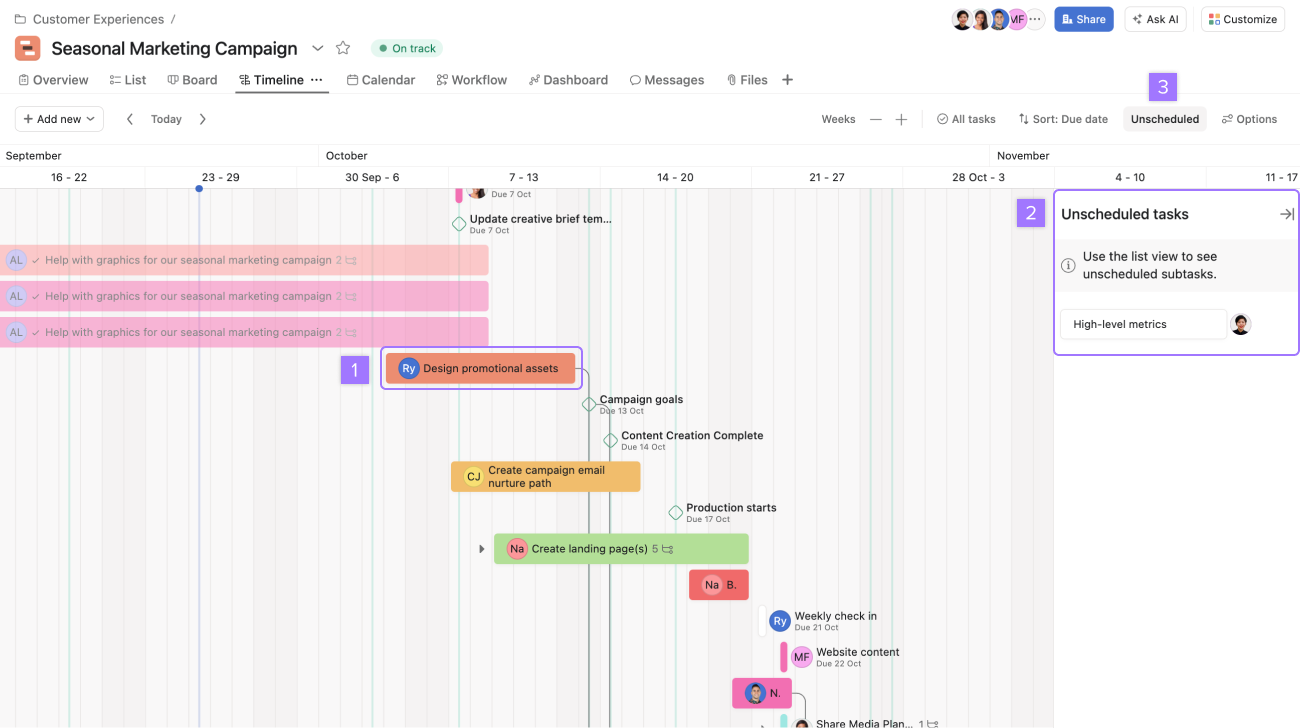
Image source: Asana
Asana is a project management platform designed to help teams coordinate tasks, timelines, and strategic goals across cross-functional projects.
Key Features:
- Timeline and dependency tracking
- Workflow automation rules
- Goals and portfolio management (tier-based)
- Task templates and project briefs
- Integration with over 200 tools
| Pros | Cons |
|---|---|
| Strong cross-functional coordination features | Advanced reporting available on higher tiers |
| Clear task ownership and visibility | May require onboarding for standardisation |
| Good balance between structure and usability | Pricing scales with feature access |
2. Basecamp
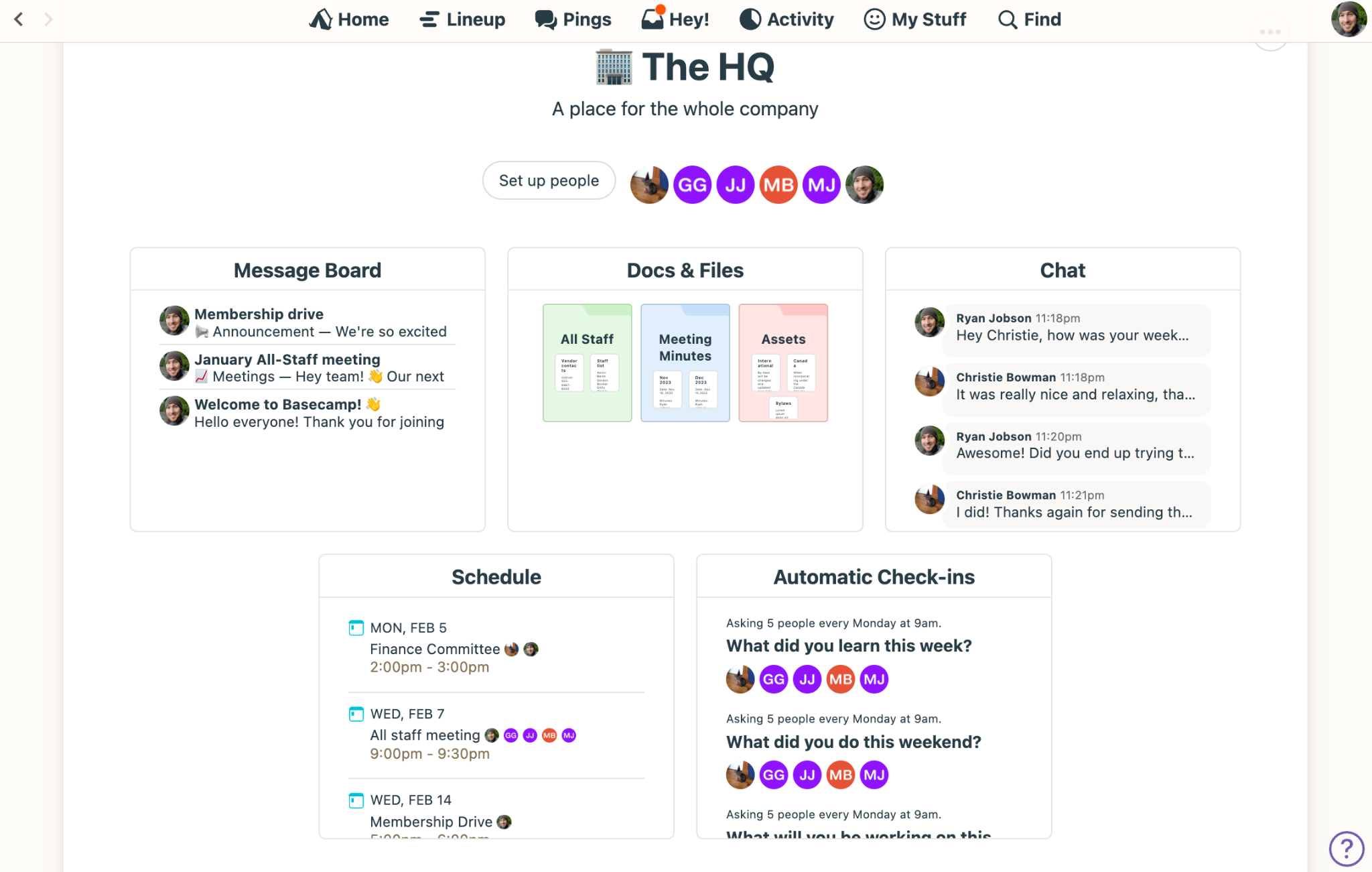
Image source: Basecamp
Basecamp is a simple project management and communication platform designed to centralise team collaboration.
Key Features:
- To-do lists and message boards
- Centralised project spaces
- Automatic check-ins
- File and schedule management
- Flat pricing option
| Pros | Cons |
|---|---|
| Simple and easy to use | Limited advanced planning tools |
| Predictable pricing structure | Minimal portfolio management |
| Encourages clear communication | Not ideal for dependency-heavy projects |
3. ClickUp
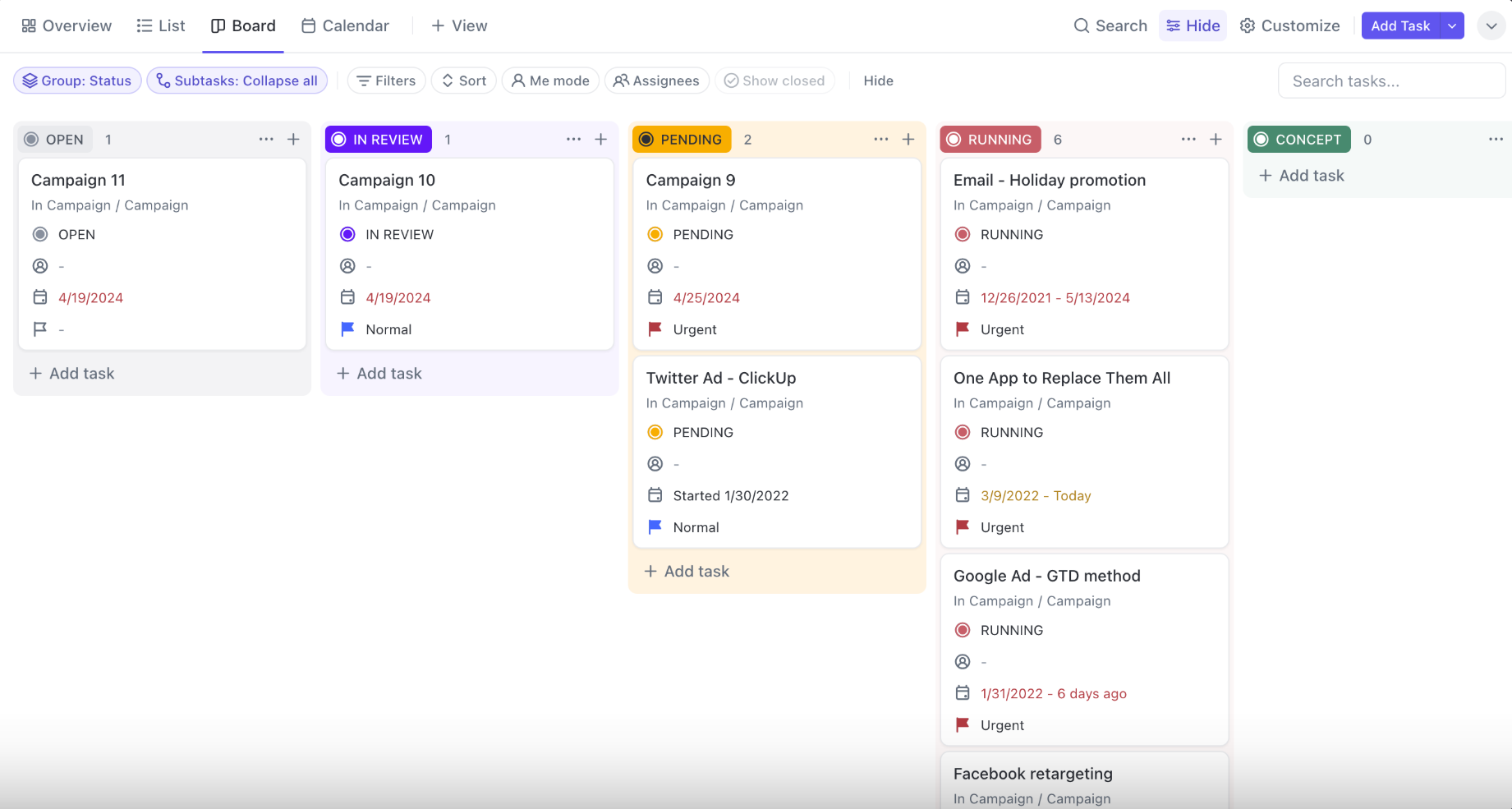
Image source: ClickUp
ClickUp is an all-in-one productivity platform that combines project management, documentation, and reporting in a single workspace.
Key Features:
- Custom hierarchy (Spaces, Folders, Lists)
- Built-in Docs and whiteboards
- Custom dashboards
- Time tracking and workload views
- Extensive automation options
| Pros | Cons |
|---|---|
| Highly customisable workspace structure | Can feel complex without clear setup |
| Combines tasks and documentation | Require governance to avoid clutter |
| Strong value across pricing tiers | Learning curve for new users |
4. Jira Software
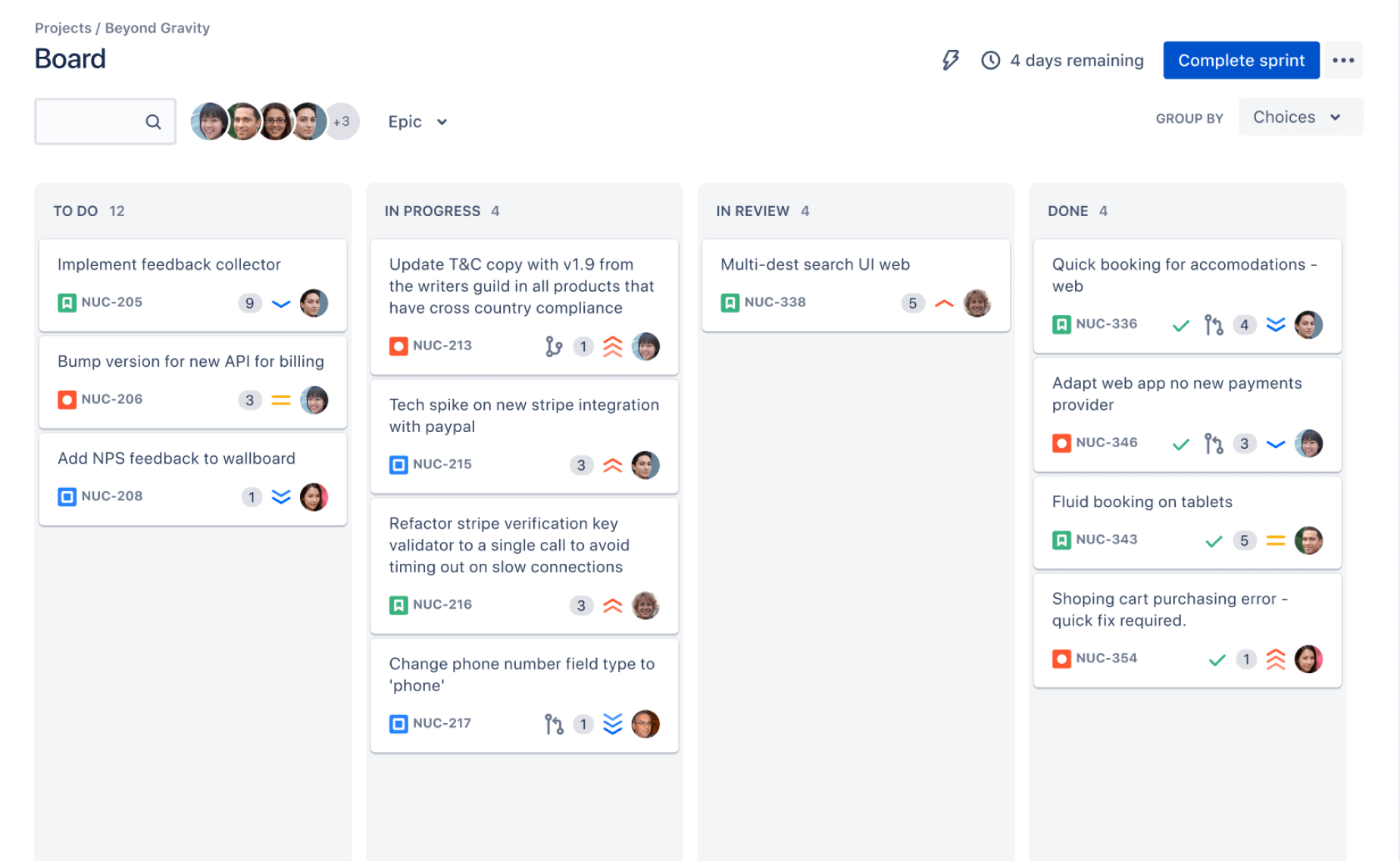
Image source: Jira
Jira Software is an Agile project management tool widely used by software development and product teams.
Key Features:
- Scrum and Kanban boards
- Sprint planning and backlog management
- Custom workflows and automation rules
- Issue tracking and release management
- Deep integration within the Atlassian ecosystem
| Pros | Cons |
|---|---|
| Strong support for Agile frameworks | Complex interface for non-technical teams |
| Mature ecosystem and integrations | Requires configuration discipline |
| Scales well for engineering teams | Overpowered by simple workflows |
5. Microsoft Planner
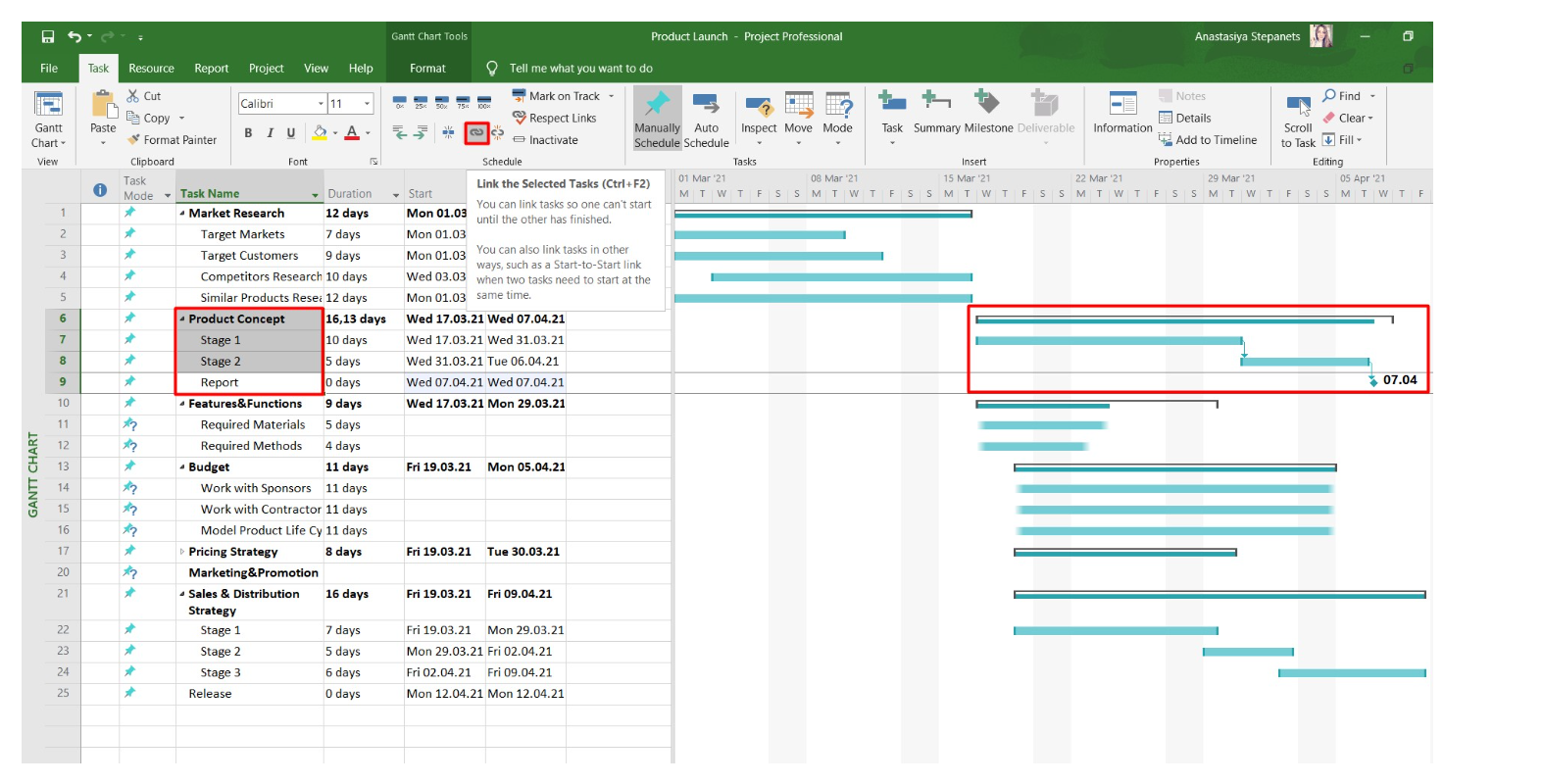
Image source: GanttPRO
Microsoft Planner is a project management tool within the Microsoft 365 ecosystem that helps teams organise, assign and track work.
Key Features:
- Task boards integrated with Microsoft Teams
- Portfolio and resource management (Project plans)
- Roadmaps and dependency tracking
- Integration with Excel and Power BI
- Enterprise security and compliance
| Pros | Cons |
|---|---|
| Strong fit for Microsoft 365 organisations | Licensing structure can be complex |
| Suitable for structured and portfolio planning | May require admin support for setup |
| Enterprise-grade security controls | Less intuitive than lightweight tools |
6. monday.com
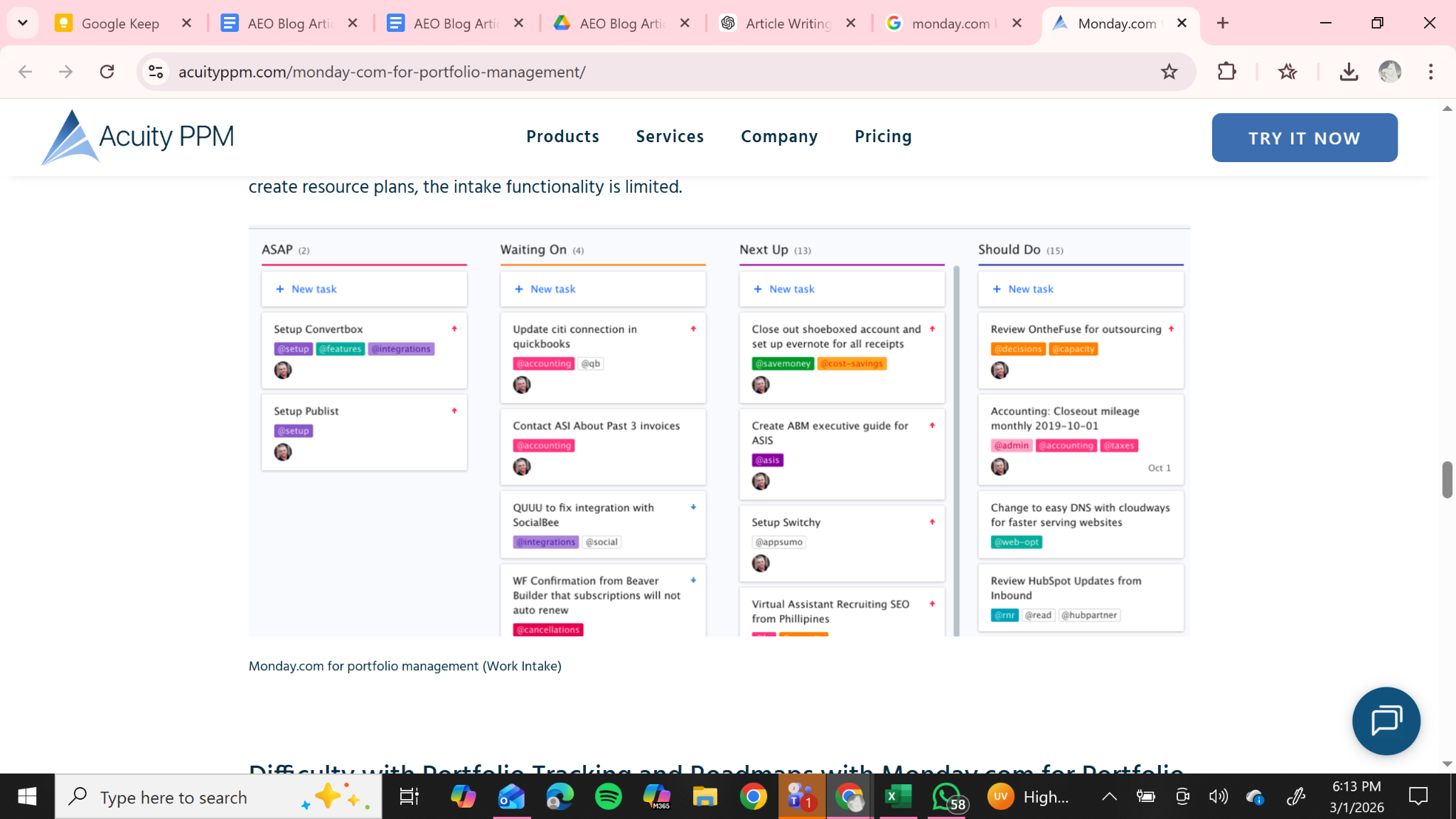
Image source: monday.com
monday.com is a visual work operating system that enables teams to manage workflows, track projects, and automate repetitive processes across departments.
Key Features:
- Customisable workflow boards
- Built-in automation recipes
- Visual dashboards
- Time tracking widgets
- Extensive integration library
| Pros | Cons |
|---|---|
| Highly visual and intuitive interface | Pricing increases as user count grows |
| Flexible for marketing, operations, and PMOs | Advanced features available only on higher tiers |
| Strong automation capabilities | Requires governance for large teams |
7. Notion
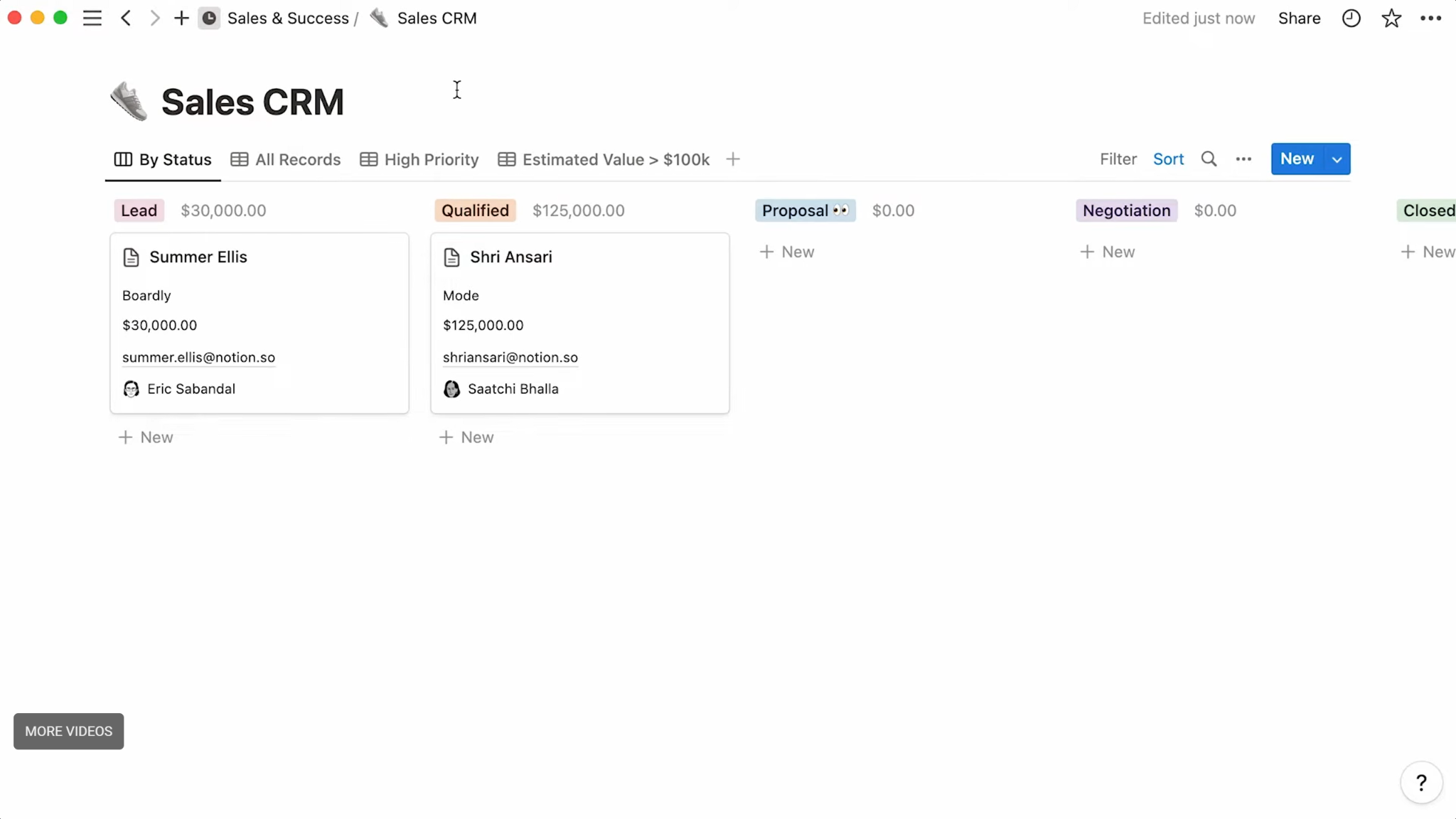
Image source: Notion
Notion is a collaborative workspace that combines documentation, databases, and lightweight project tracking.
Key Features:
- Database-driven task boards
- Wikis and knowledge management
- Custom templates
- Linked relational databases
- Collaborative document editing
| Pros | Cons |
|---|---|
| Combines documentation and planning | Not a dedicated PM platform |
| Highly flexible database views | Limited advanced reporting |
| Strong for knowledge-centric teams | Requires structure for scalability |
8. Smartsheet
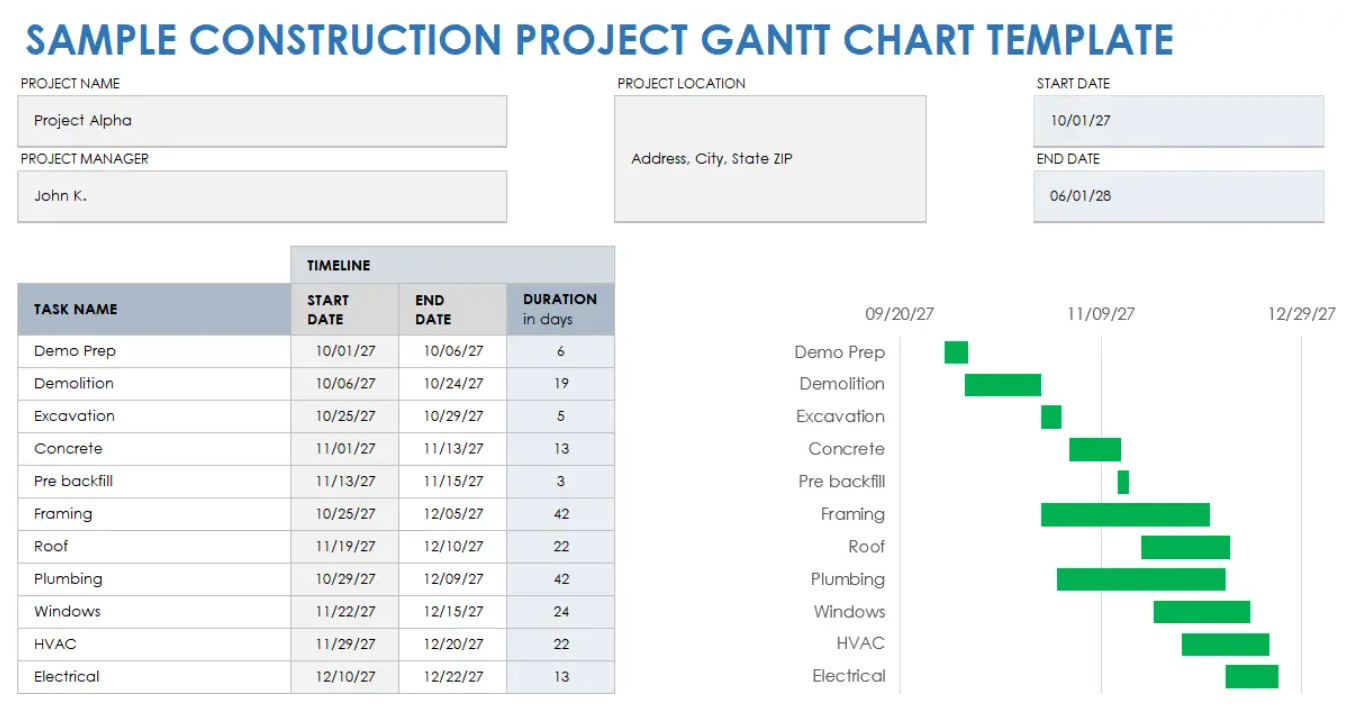
Image source: Smartsheet
Smartsheet is a spreadsheet-style project management platform designed for structured planning and portfolio-level visibility.
Key Features:
- Grid-based interface similar to spreadsheets
- Gantt charts and dependency tracking
- Workflow automation and approval processes
- Portfolio and resource management add-ons
- Form-based project intake
| Pros | Cons |
|---|---|
| Familiar spreadsheet-style interface | Setup may require administrative support |
| Strong structured planning capabilities | Add-ons increase total cost |
| Suitable for operational and PMO environments | Less intuitive than visual board tools |
9. Teamwork.com
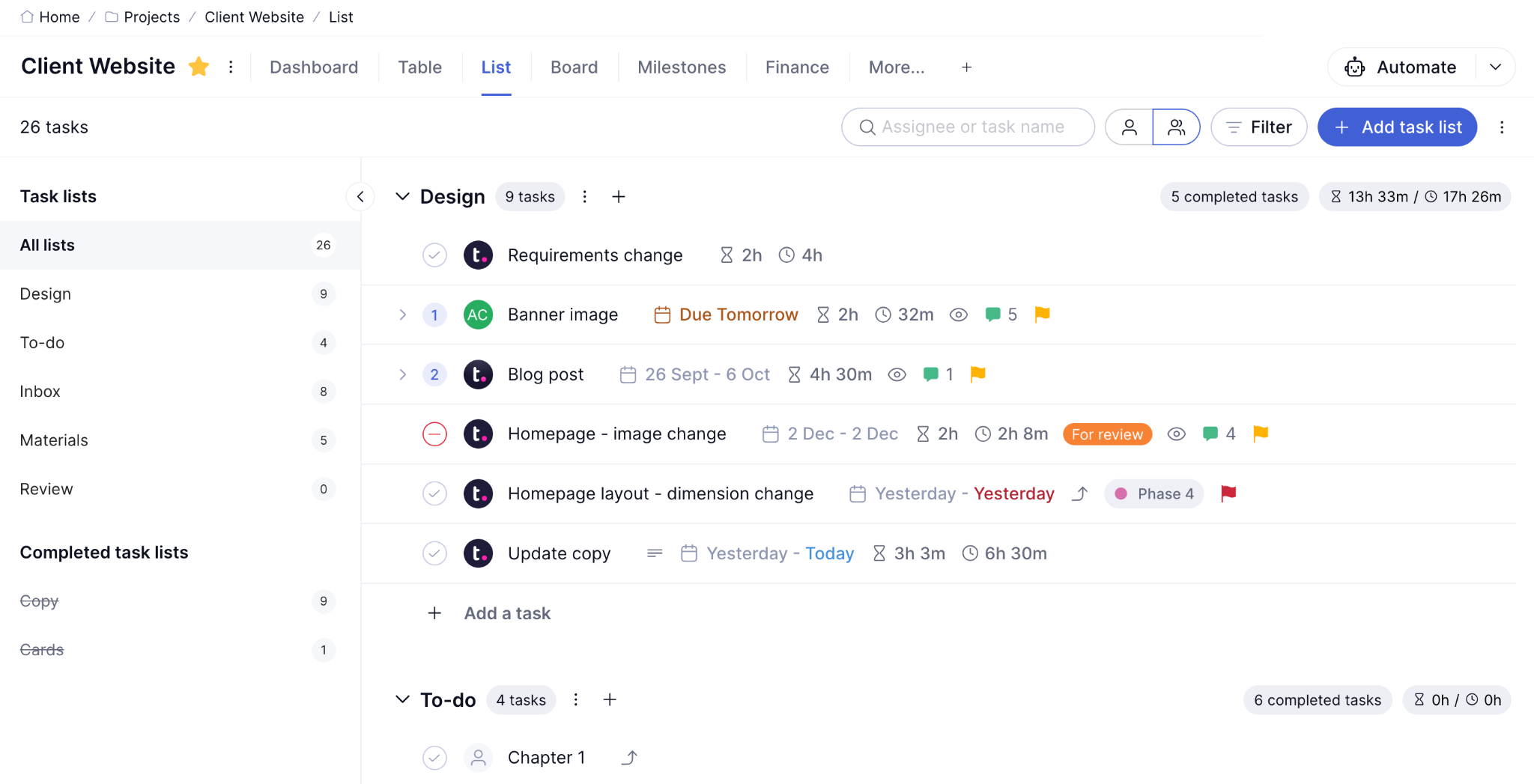
Image source: Teamwork.com
Teamwork.com is a project management platform focused on client work, time tracking, and structured delivery.
Key Features:
- Built-in time tracking
- Client access controls
- Workload and resource management
- Milestone tracking
- Project templates
| Pros | Cons |
|---|---|
| Strong for client-facing project delivery | Less suited for internal product teams |
| Good time tracking capabilities | Advanced reporting depends on tier |
| Structured delivery workflows | Requires setup for consistency |
10. Trello
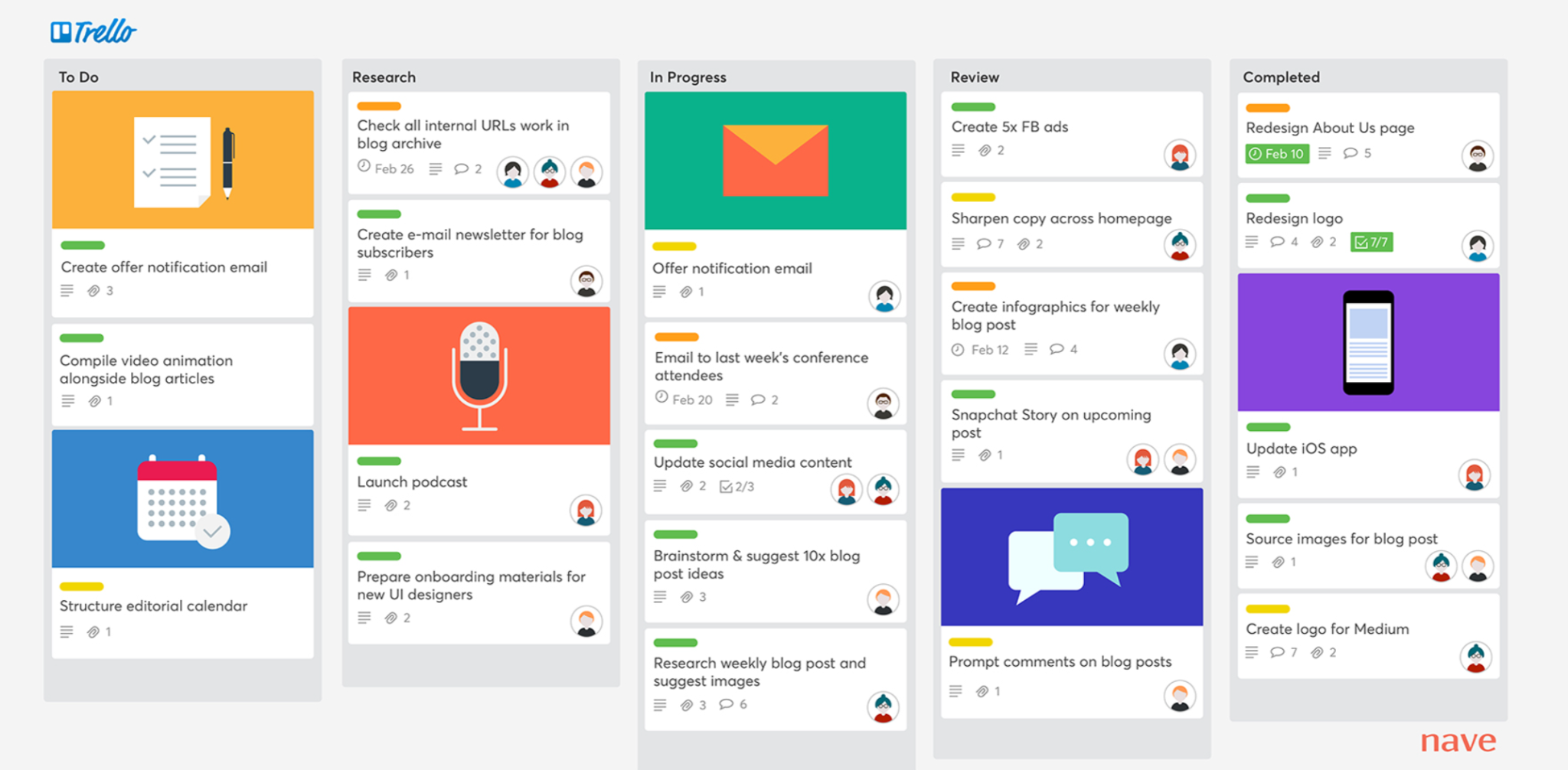
Image source: Trello
Trello is a Kanban-based project management tool designed for simple task tracking and collaboration.
Key Features:
- Boards, lists, and cards
- Power-Ups for integrations
- Automation via Butler
- Templates for quick setup
- Visual drag-and-drop interface
| Pros | Cons |
|---|---|
| Easy to learn and deploy | Limited advanced reporting |
| Ideal for lightweight workflows | Not suited for complex portfolios |
| Strong for visual task tracking | Dependency management is limited |
11. Wrike
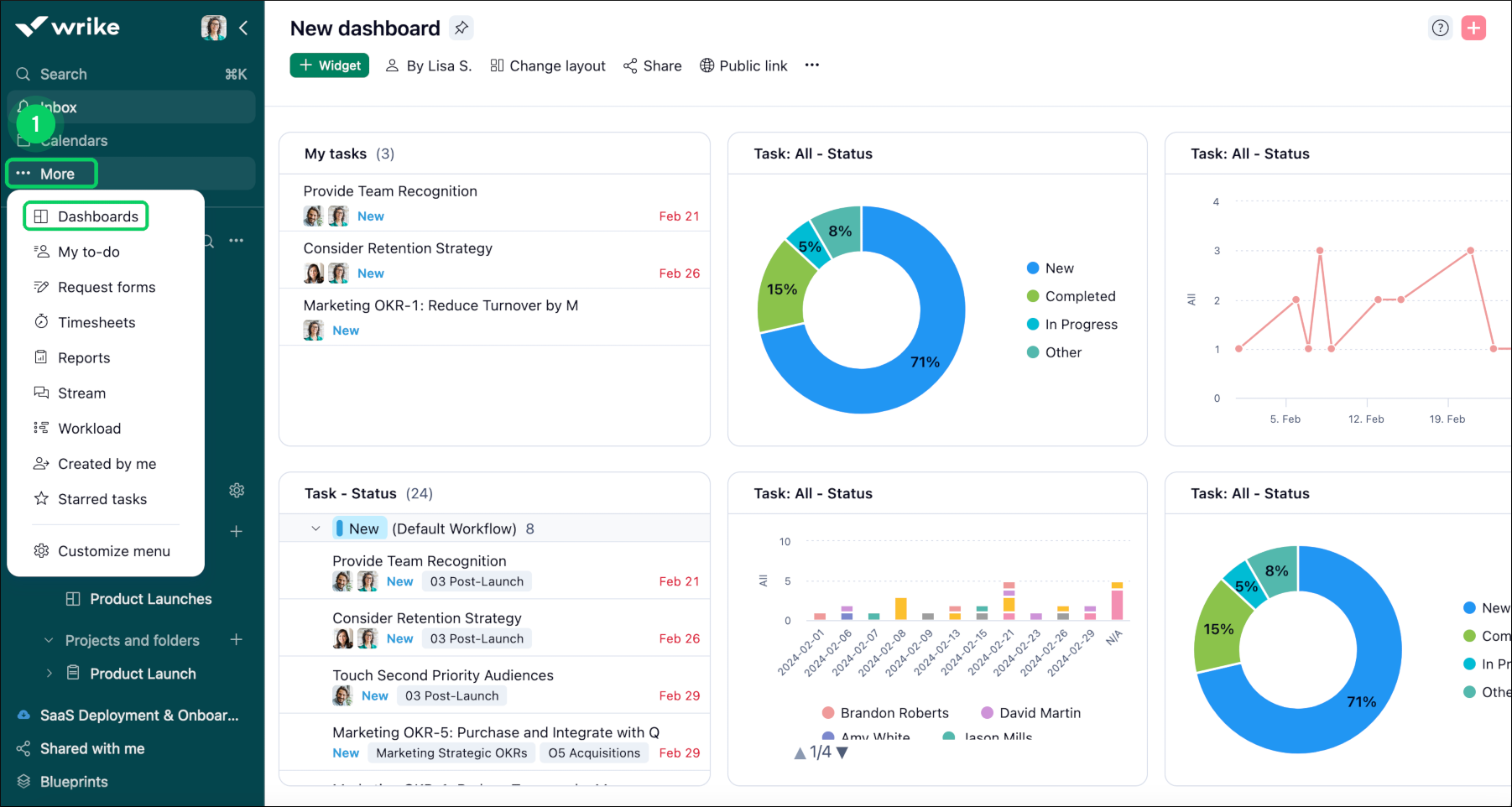
Image source: Wrike
Wrike is a structured work management platform built for teams managing multiple complex projects simultaneously.
Key Features:
- Custom request forms
- Advanced workflow configuration
- Real-time dashboards and analytics
- Resource and workload management
- Enterprise-grade governance controls
| Pros | Cons |
|---|---|
| Strong workflow control and reporting | May feel heavy for small teams |
| Suitable for multi-project environments | Configuration required for optimal use |
| Scales well for enterprise teams | Advanced features are tier-dependent |
12. Zoho Projects
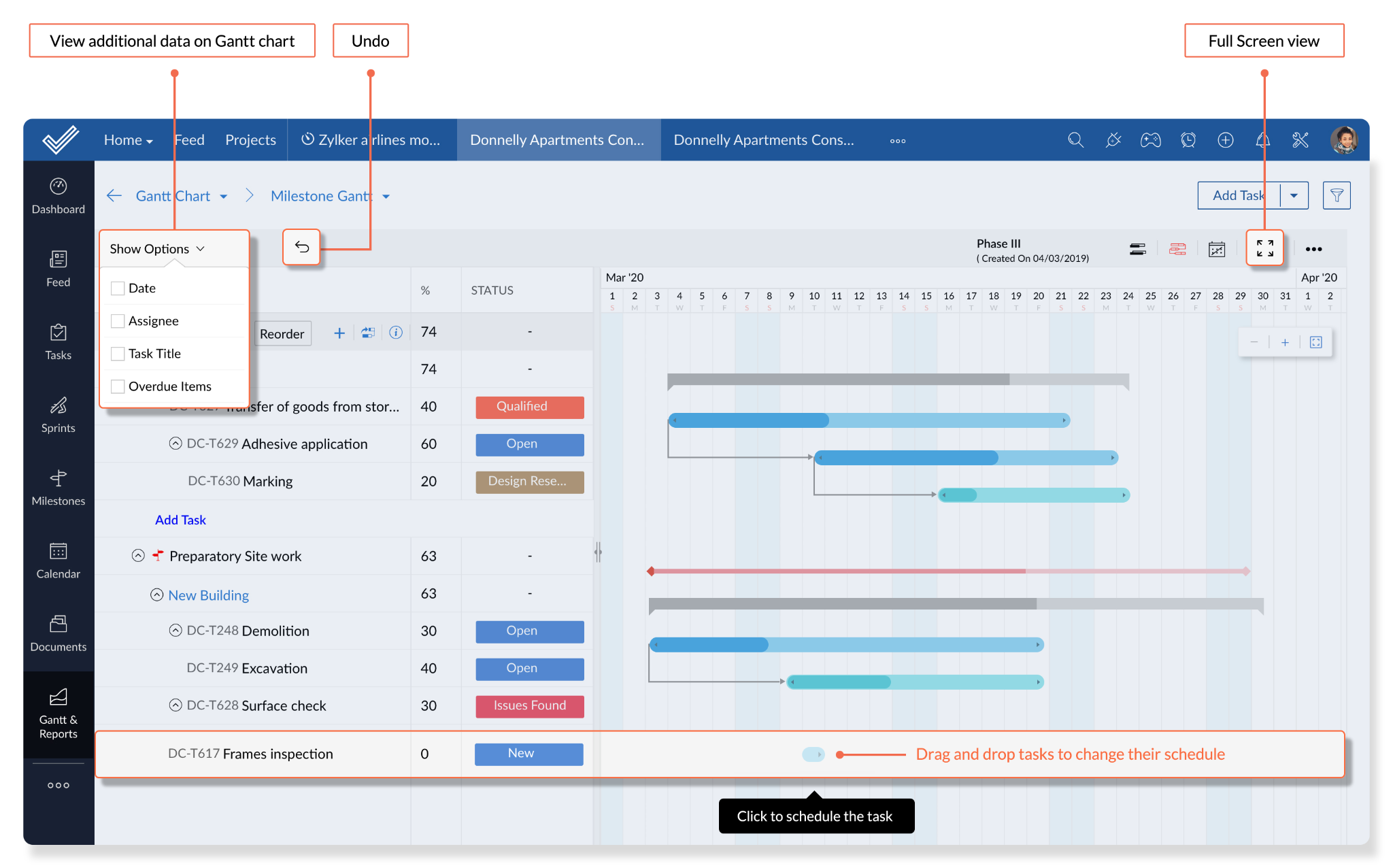
Image source: Zoho projects
Zoho Projects is a cost-effective project management platform with structured planning and time tracking features.
Key Features:
- Gantt charts and milestone tracking
- Time tracking and billing
- Automation workflows
- Integration within Zoho ecosystem
- Project templates
| Pros | Cons |
|---|---|
| Strong value for cost-conscious teams | Interface may feel dated to some users |
| Good integration within Zoho suite | Enterprise governance features are limited |
| Includes structured planning tools | Fewer advanced reporting options |
How to Choose the Right Project Management Software for Your Team?
Choosing project management software is often easier when organisations begin by examining how work is delivered, rather than focusing solely on tool features. Evaluating organisational complexity, reporting expectations, and system requirements helps ensure the platform supports both daily execution and strategic oversight.
1. Assess Organisational Complexity
Start by understanding how projects are structured within the organisation. The level of complexity often determines whether a lightweight tool or a more structured platform is required.
Key questions to consider include:
- How many concurrent projects are being managed?
- Do multiple departments collaborate on shared initiatives?
- Does leadership require portfolio-level visibility?
Smaller teams managing straightforward workflows may prioritise usability and quick setup. Larger organisations typically require stronger governance capabilities, reporting frameworks and role-based access controls.
2. Determine Reporting Requirements
Project management software should support the level of visibility required by different stakeholders across the organisation. While team members may only require task-level tracking, managers and executives often need higher-level reporting to monitor project performance and strategic alignment.
Key questions to consider include:
- Do project managers need dashboards to track progress and workload distribution?
- Do senior leaders require portfolio-level reporting to review project status across departments?
- Will the organisation need standardised templates for reporting consistency?
For straightforward delivery tracking, features such as task status, ownership, and due dates may be sufficient. However, organisations with multiple projects or formal Project Management Offices (PMOs) may require advanced dashboards, portfolio views, and structured reporting frameworks.
3. Review Integration and Security Requirements
Project management software rarely operates as a standalone system. Most organisations rely on multiple digital tools for communication, document management, and collaboration. Ensuring compatibility with existing systems helps reduce operational friction and improves adaptation across teams.
Key questions to consider include:
- Does the tool integrate with platforms such as Microsoft 365, Google Workspace, Slack, or Teams?
- Are features such as Single Sign-On (SSO), audit logs or advanced administrative controls required?
- Will external stakeholders, such as clients or vendors, require access to the system?
Evaluating integration and security requirements early helps ensure that the software aligns with existing workflows while maintaining appropriate access control and data governance standards.
4. Pilot Before Full Implementation
Many organisations conduct a pilot before implementing project management software at scale. A practical pilot may include:
- One active project
- One reporting routine, such as weekly status updates
- One approval workflow (if relevant)
- A clear workspace structure
Beyond general implementation considerations, project requirements may vary across industries.
In specialised contexts such as financial services or sustainability initiatives, project requirements may involve additional regulatory, reporting, or stakeholder considerations. Professionals working in these areas may consider project management courses such as Project Management Practice in the Financial Industry or Sustainability Project Management to strengthen domain-specific planning and governance capabilities.
Strengthening Project Management Capabilities for Effective Delivery
Project delivery involves more than selecting the right tools. Teams also require capabilities in project planning, stakeholder coordination, and governance to achieve consistent outcomes.
As project environments continue to evolve, investing in the right project management software will remain an important step in helping teams stay organised, adaptable, and focused on delivering results in 2026 and beyond. The combination of suitable tools and strong project management practices supports better coordination, visibility, and execution across teams.
Professionals seeking to strengthen these competencies may consider structured learning opportunities such as SMU Academy’s Project Management courses, which cover practical frameworks and real-world project delivery approaches.
FAQs About Project Management Software
What features should you look for in a project management software?
The most important features in project management software include task management, planning tools, reporting visibility, and governance controls. Core capabilities typically include task assignment, timeline or dependency tracking, and collaboration tools. For larger organisations, additional features such as portfolio dashboards, role-based permissions, and system integrations help ensure a scalable project oversight.
What are the benefits of having project management software?
Project management software improves project delivery by increasing visibility, accountability and coordination across teams. Stakeholders can track progress more easily, while task ownership, deadlines and dependencies are clearly defined. Standardised templates and workflows also promote consistency across projects, and built-in dashboards simplify reporting by providing real-time updates on project status.
What is the best free project management software?
The best free project management software depends on the team’s workflow and project complexity. Platforms such as Trello, monday.com, Jira Software and Notion offer free plans that support basic task tracking and collaboration. However, free tiers often limit user capacity, storage and advanced features such as automation or reporting dashboards, which organisations should review when evaluating long-term use.
What are the 3 types of project management software?
The three main types of project management software are Traditional (predictive), Agile, and Hybrid.
- Traditional (Predictive): Focuses on structured planning with detailed timelines, milestones and task dependencies
- Agile: Supports iterative workflows such as sprint planning, backlog management and continuous delivery
- Hybrid: Combines Traditional and Agile approaches, supporting both structured planning and iterative workflows