


ChatGPT is a generative artificial intelligence (AI) tool that can understand instructions and generate responses in natural language. In the workplace, professionals use it to brainstorm ideas, draft content, analyse information, conduct research, support coding and simplify everyday tasks.
Its adoption reflects the growing role of AI at work. A 2026 Founder Reports survey of 2,078 US workers found that 89% had used AI for work in some capacity, while 38% used it daily. However, using AI frequently does not necessarily mean using it well. The same survey found that 77% of workers review a colleague’s work more carefully when they know AI was involved.
Learning how to use ChatGPT effectively therefore requires more than entering a question and accepting the answer. This article explores how ChatGPT works, 11 practical ways to use it, common mistakes, privacy considerations and tips for getting more useful results.
What Is ChatGPT and How Does It Actually Work?
ChatGPT is an AI assistant developed by OpenAI. GPT stands for Generative Pre-trained Transformer, referring to the type of model underlying the system. ChatGPT can support tasks ranging from writing and brainstorming to coding, research, analysis and working with files or images.
While their underlying models and features differ, other generative AI assistants such as Gemini and Claude also use natural language prompts to interact with users.
At a simplified level, ChatGPT works through several processes:
- Learning patterns from large amounts of information: During training, models learn relationships and patterns across information such as text, images, audio and video
- Understanding your prompt: ChatGPT interprets your instructions, the context provided and relevant information from the conversation
- Predicting a response: It generates responses by predicting what should come next based on patterns learned during training and the context of your request
- Following instructions: Clear directions about your objective, audience, format, tone and constraints help guide the response towards what you need
- Using conversational context: You can refine an answer through follow-up prompts rather than starting from scratch each time
- Using tools where available: Depending on your plan and settings, ChatGPT can work with capabilities such as web search, uploaded files, images and connected tools
The important point is that ChatGPT generates answers based on patterns and context. It does not inherently guarantee that every statement it produces is accurate, which is why human review remains essential.
11 Ways To Use ChatGPT Effectively
Getting useful results from ChatGPT often comes down to how you communicate your requirements. The same principle applies to other generative AI tools as well. Effective prompting gives ChatGPT clearer direction, reduces generic responses and makes its output more relevant to your task.
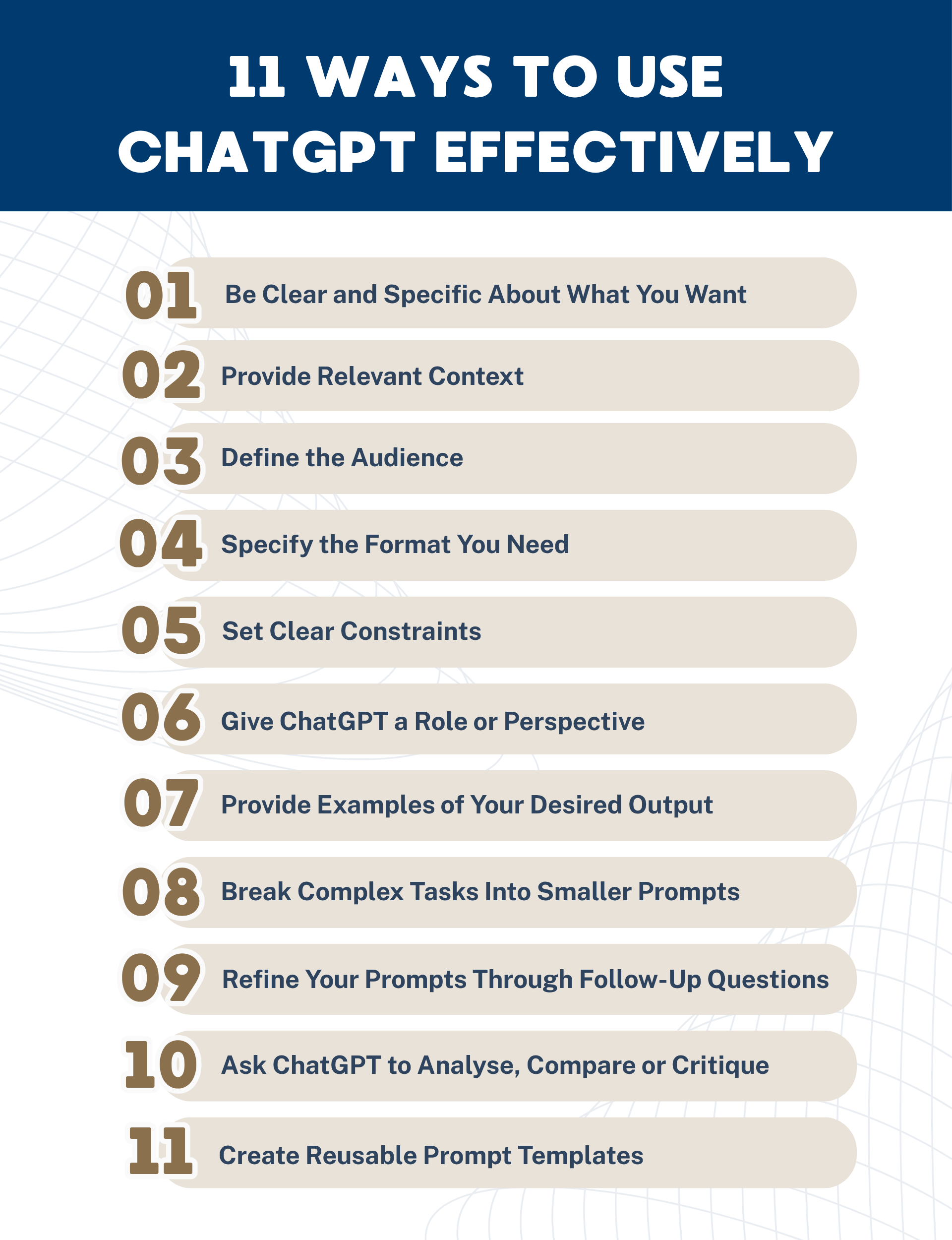
1. Be Clear and Specific About What You Want
Avoid broad requests that leave ChatGPT guessing. State exactly what you want it to produce, including the topic, purpose and expected outcome.
For example, instead of “Write about customer service”, try: “Write a 150-word introduction explaining three ways businesses can improve customer experience using AI.”
2. Provide Relevant Context
ChatGPT produces more relevant responses when it understands the background behind your request. Include information about your situation, industry, project or problem where it would influence the answer.
For example: “I run an online business selling skincare products in Singapore. Suggest five ways to improve repeat purchases among customers aged 25 to 35.”
Providing context is particularly useful when applying such Gen AI tools to specialised fields such as AI in marketing, education, risk management or business analytics.
3. Define the Audience
Tell ChatGPT who will read or use the output. The intended audience can affect the vocabulary, level of detail, examples and explanations it provides.
For example: “Explain generative AI to senior managers with limited technical skills. Avoid technical jargon and use a simple workplace example.”
This technique is also useful for educators adapting explanations to different learners. ChatGPT for Educators: Using it to your Advantage explores how educators can apply ChatGPT within teaching and learning contexts.
4. Specify the Format You Need
Tell ChatGPT how you want the information presented, such as paragraphs, bullet points, tables, checklists, emails or step-by-step instructions.
Instead of asking “Compare these project management tools”, try: “Compare these three project management tools in a table covering price, key features, integrations, advantages and limitations.”
Defining the format reduces unnecessary editing and makes the response easier to use.
5. Set Clear Constraints
Constraints help ChatGPT understand the boundaries of the task. Specify requirements such as word count, number of ideas, language, tone, structure or information that should be excluded.
For example: “Summarise this report in no more than 100 words. Use British English, avoid technical jargon and highlight only the three most important findings.”
6. Give ChatGPT a Role or Perspective
Assigning a relevant role can help frame the response around the expertise, priorities or perspective required for your task.
For example: “Act as an internal auditor. Review this proposed procurement process and identify potential operational, financial and compliance risks.”
For professionals applying AI within governance functions, Practical Application of ChatGPT in Risk Management and Internal Audit explores its applications in risk management and internal audit.
7. Provide Examples of Your Desired Output
When you have a particular style or structure in mind, provide an example for ChatGPT to follow. Examples can make abstract instructions much clearer, while also improving consistency when prompting other AI assistants.
For instance, provide one completed product description and ask ChatGPT to create five more using the same structure and tone.
This approach is especially useful when developing consistent content for personal branding, marketing, customer communications or other recurring business tasks.
8. Break Complex Tasks Into Smaller Prompts
Rather than asking ChatGPT to complete a complicated project in one prompt, divide it into logical stages. Review each response before moving on to the next step.
For a report, you might first ask ChatGPT to develop an outline, then research individual sections, draft the content and finally review it for clarity.
This approach can also support data-related workflows. Courses such as Creating and Using Databases with Power Pivot & ChatGPT and Data Querying and Wrangling: Power Query and ChatGPT Integration explore applications of ChatGPT alongside established data tools.
9. Refine Your Prompts Through Follow-Up Questions
You do not need to get the perfect answer from your first prompt. Treat ChatGPT as a conversation and use follow-up instructions to improve its response.
You might say: “Make this more concise”, “Give me three alternatives”, “Explain your reasoning” or “Use examples relevant to Singapore.”
Iterative prompting can help professionals strengthen both soft skills and transferable skills, such as communication, critical thinking and problem-solving.
10. Ask ChatGPT to Analyse, Compare or Critique
Do not limit prompts to asking ChatGPT to generate content. Ask it to evaluate existing information, identify weaknesses, compare alternatives or suggest improvements.
For example: “Review these three approaches. Compare their advantages, disadvantages, implementation difficulty and potential risks, then identify what additional information I should consider before deciding.”
For some tasks, you can also compare responses from different AI tools to identify alternative perspectives before verifying the findings.
11. Create Reusable Prompt Templates

For tasks you perform regularly, create prompt templates with placeholders for variables such as the audience, objective, topic, tone and format. This makes prompting faster and helps maintain consistency.
A reusable template could be: “Create a [format] about [topic] for [audience]. The objective is [goal]. Use a [tone] tone and keep it within [length]. Include [requirements].”
Developing effective prompt structures is becoming increasingly valuable as AI adoption grows across the digital economy and changes the skills required for in-demand jobs. Generative AI: Applications, Prompt Engineering and the power of ChatGPT can help professionals build a more systematic understanding of prompt engineering and generative AI.
What Not To Use ChatGPT For?
ChatGPT and other generative AI tools can assist with many tasks, but there are situations where AI-generated information should not be treated as a substitute for qualified expertise, authoritative sources or human judgement.
- Making high-stakes decisions independently: Do not rely solely on ChatGPT for consequential medical, legal, financial, employment or safety decisions
- Providing confidential company information: Avoid entering trade secrets, passwords, customer records or sensitive internal information without appropriate organisational approval
- Making final hiring or performance decisions: AI can support administrative work, but consequential decisions about people require appropriate human oversight
- Treating generated facts as verified facts: AI tools can make mistakes, so important statistics, quotations, dates and claims should be checked
- Submitting work without reviewing it: AI-generated content may contain inaccuracies, weak reasoning or inappropriate wording
- Replacing subject-matter expertise: Use ChatGPT to support professionals, not to bypass qualified expertise where specialist judgement is required
Common ChatGPT Mistakes To Avoid
Getting better results from ChatGPT depends as much on how you use it as what you ask it to do. Avoiding several common mistakes can substantially improve output quality.
- Writing vague prompts: “Write about leadership” provides less direction than specifying the audience, objective, format, length and context
- Trying to do everything in one prompt: Break complex assignments into stages so that you can review and refine each part
- Accepting the first answer: Ask ChatGPT to revise, compare alternatives, challenge assumptions or improve weak sections
- Failing to provide context: Explain who the output is for, what you are trying to achieve and any constraints it must follow
- Assuming confident language means accuracy: A polished response can still contain incorrect information. Verify important facts independently
- Using AI output unchanged: Edit generated material to reflect your expertise, organisation, voice and intended audience
Data Privacy and Security Best Practices When Using ChatGPT
Data privacy and security should be considered when using ChatGPT or other generative AI tools for work, particularly when handling personal or commercially sensitive information. Organisations should establish clear policies covering what employees can share and how AI output should be handled.
- Follow your organisation’s AI policy: Check which AI tools, accounts and types of information are approved for workplace use
- Do not enter unnecessary personal data: Remove names, identification numbers, contact details and other identifiable information where they are not required
- Anonymise sensitive information: Replace real customers, employees, companies or cases with generic labels before entering information where appropriate
- Understand your data settings: ChatGPT provides Data Controls that let individual users manage whether conversations are used to improve OpenAI’s models
- Use approved business solutions: OpenAI states that data from its business offerings, including ChatGPT Business and Enterprise, is not used to train its models by default
- Maintain human oversight: Review outputs before they are stored, distributed or used to make business decisions
For organisations processing personal data, the data protection officer and relevant information security or legal teams should be involved in developing policies that align AI use with applicable privacy obligations.
How To Use ChatGPT Effectively While Keeping Humans in Control
Learning how to use ChatGPT effectively is less about finding one perfect prompt and more about developing a productive way of working with AI. Give clear instructions, provide relevant context, break complex tasks into manageable stages and refine responses through follow-up prompts.
Most importantly, keep human judgement at the centre of the process. ChatGPT can accelerate research, writing, analysis, learning and problem-solving, but professionals remain responsible for verifying information, protecting sensitive data and deciding how AI-generated insights should be used.
Ready to build your AI capabilities? Explore SMU Academy’s Generative AI courses to develop practical skills for using AI effectively and responsibly in the workplace.






FAQs About Using ChatGPT Effectively
It depends on how frequently and intensively you use it. ChatGPT has a free option as well as paid plans. Paid access may be worthwhile for professionals who regularly use advanced models, higher usage limits or additional capabilities. Compare the current plans against the features you actually need before subscribing.
ChatGPT can provide useful answers, but you should not assume that everything it generates is accurate. AI models can produce incorrect or misleading information. Verify important facts, statistics and recommendations against reliable sources, particularly when decisions have significant consequences.
Provide more context. State your objective, audience, role, desired format, constraints and examples of what good output looks like. Instead of asking, “How can I improve sales?”, specify your industry, target customer, current challenge, budget and desired outcome.
Yes, ChatGPT can search the web for timely information and provide links to relevant sources when search is available. It may decide to search when current information would improve an answer, or users can select search where the feature is available. Availability can depend on plan and workspace settings.
Depending on the features and tools available to you, generative AI tools like ChatGPT, Gemini or Claude can help automate or streamline repetitive activities such as recurring research, summaries, drafting, information organisation and multi-step workflows. The appropriate level of automation depends on the task, available integrations and the amount of human oversight required.