


Project management tools are methods, frameworks, and digital platforms that help teams organise work and deliver projects successfully. They make it easier to plan tasks, coordinate teams, allocate resources, and track progress towards deadlines. In today’s complex work environments, these tools help organisations stay organised and reduce the risk of delays.
According to the Project Management Institute (PMI) Pulse of the Profession Report, organisations that invest in proven project management practices waste 28 times less money than those with low project management maturity. Additionally, high-performing organisations complete more projects successfully and meet original goals more consistently.
This article answers common questions about project management tools, explains core tools and techniques for planning, and outlines best practices to help teams improve productivity and project outcomes.
Key Takeaways
- Project management tools help teams organise work, track progress, and reduce project risks.
- Different tools serve different purposes, such as scheduling, risk management, or stakeholder coordination.
- Choosing the right tool depends on project complexity, team size, and organisational needs.
- Successful project delivery requires both effective tools and strong project management practices.
What Are the Core Project Management Tools?
Managing a project often requires a mix of digital tools and simple planning techniques. Some tools help teams schedule tasks and monitor deadlines, while others clarify responsibilities, manage risks, or improve communication with stakeholders. When used together, these tools help project managers keep projects organised and ensure that everyone involved understands their role.
Below are 10 widely used project management tools and techniques that support effective planning and execution.
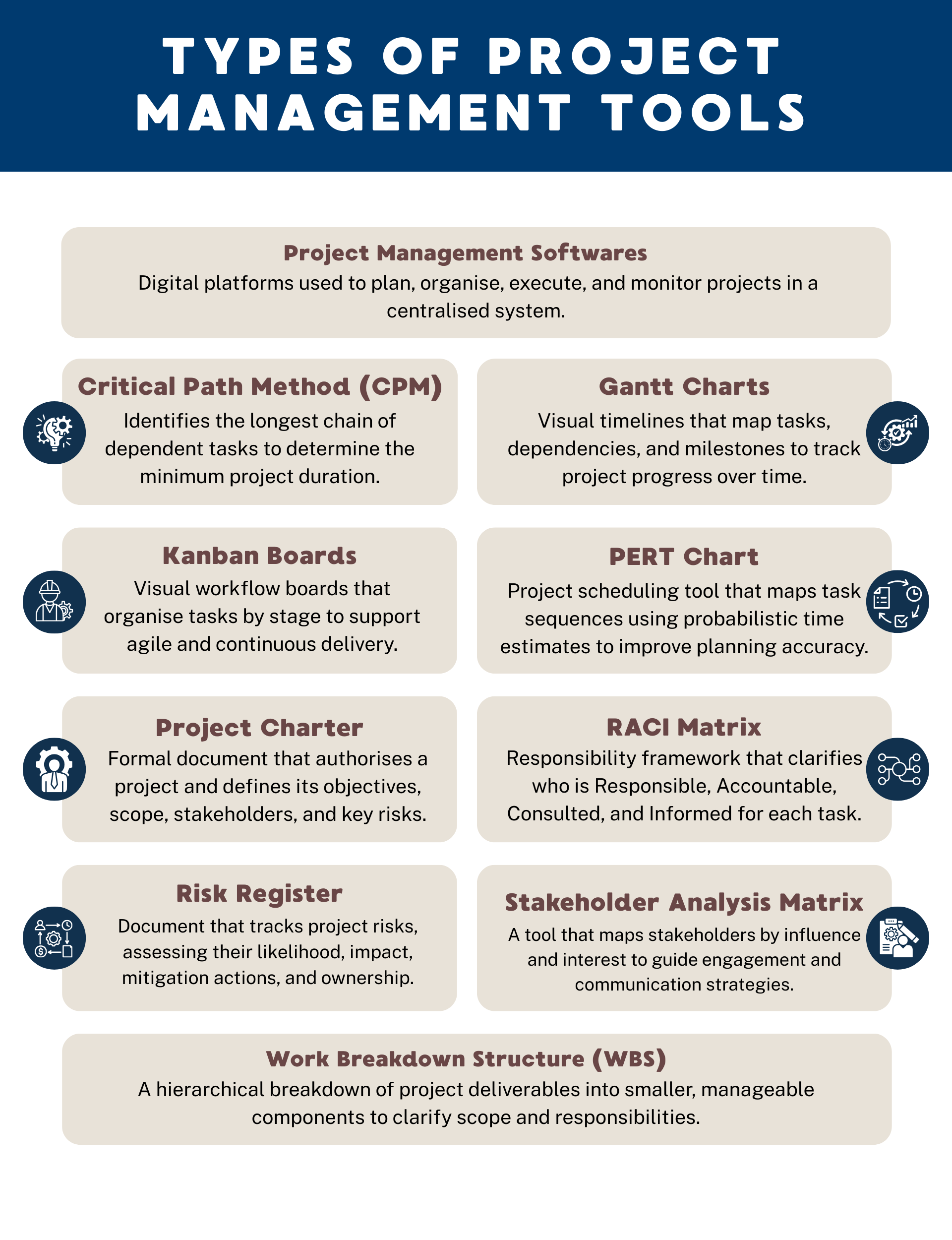
1. Project Management Softwares
Project management software brings tasks, communication, documents, and progress tracking into one place. Instead of relying on scattered spreadsheets or email threads, teams can manage their work in a central platform.
Common examples include platforms such as Asana, ClickUp, monday.com, Notion and Trello. These platforms can now incorporate AI in marketing and help teams assign tasks, track deadlines, and monitor progress in real time.
For example, a marketing team planning a product launch can use project management software to track campaign timelines, assign responsibilities, and share updates across departments.
2. Critical Path Method (CPM)
The Critical Path Method helps project managers identify the sequence of tasks that directly determines how long a project will take. If any task on this path is delayed, the entire project timeline may be affected. By identifying these critical tasks early, project managers can focus their attention on activities that are most likely to influence the final deadline.
Here are some downloadable Critical Path Method templates.
| Pros | Cons |
| Identifies tasks that impact project timeline | Can be complex for large projects |
| Supports better time management | Requires accurate duration estimates |
| Helps allocate resources effectively | Less flexible in dynamic environments |
| Reduces risk of delays | Time-consuming to calculate manually |
3. Gantt Charts
A Gantt chart is a visual timeline that shows how project tasks are scheduled over time. It helps teams understand when tasks start and end, and how different activities depend on one another.
For example, in a website redesign project, content writing may need to be completed before design work begins. A Gantt chart makes this relationship visible so teams can plan accordingly.
Here are some downloadable Gantt Chart templates.
| Pros | Cons |
| Clear visual timeline | Can become complex for large projects |
| Identifies dependencies | Requires regular updates |
| Supports milestone tracking | Less flexible in agile environments |
| Good for stakeholder reporting | May not reflect real-time changes automatically |
4. Kanban Boards
Kanban boards are visual tools that show how work moves through different stages of a process. They originated from Toyota’s production system and are widely used in modern agile teams.
Tasks are usually displayed in columns such as “To Do”, “In Progress”, and “Completed”. This makes it easy for teams to see what work is currently being done and what still needs attention.
Here are some downloadable Kanban Board templates.
| Pros | Cons |
| Enhances workflow visibility | Limited long-term scheduling view |
| Encourages continuous improvement | Less suitable for fixed-scope projects |
| Easy to update | May lack structured timelines |
| Supports team collaboration | Can become disorganised without limits |
5. PERT Chart (Programme Evaluation Review Technique)
A PERT chart, short for Programme Evaluation Review Technique, enables teams to estimate project timelines when there is uncertainty about how long tasks might take. Instead of relying on a single estimate, it considers optimistic, pessimistic, and most likely scenarios.
This approach is useful for projects involving research, innovation, or new product development where timelines may be difficult to predict.
Here are some downloadable PERT Chart templates.
| Pros | Cons |
| Accounts for uncertainty in timelines | Requires multiple time estimates |
| Improves forecasting accuracy | Calculations can be complex |
| Useful for research and innovation projects | Less suitable for routine projects |
| Helps visualise task dependencies | Can become difficult to interpret for large projects |
6. Project Charter
A project charter is a document that formally authorises a project and outlines its objectives, scope, and key stakeholders. It ensures that everyone involved understands what the project aims to achieve before work begins.
For example, in a digital transformation initiative, the charter might define the expected business outcomes, project timeline, and executive sponsor.
Here are some downloadable Project Charter templates.
| Pros | Cons |
| Provides formal project authorisation | May be overlooked after initiation |
| Aligns stakeholders on objectives | Requires stakeholder consensus |
| Clarifies scope and boundaries | Can be too high-level |
| Supports governance and approval processes | May need revision if scope changes |
7. RACI Matrix
A RACI matrix identifies who is responsible for completing a task, who is accountable for the outcome, who should be consulted, and who needs to be informed. When responsibilities are unclear, tasks can fall through the cracks or be duplicated. A RACI matrix prevents this by clearly defining ownership.
For example, in a product launch project, the marketing team may be responsible for campaign execution while the project sponsor remains accountable for final approval.
Here are some downloadable RACI Matrix templates.
| Pros | Cons |
| Clarifies accountability | Can become outdated if roles change |
| Reduces role confusion | May oversimplify complex responsibilities |
| Improves communication | Requires stakeholder agreement |
| Useful for cross-functional teams | Does not track timelines |
8. Risk Register
A risk register is a document used to track potential project risks and how they will be managed. Instead of waiting for problems to arise, teams identify possible risks early and develop mitigation plans.
For instance, if a project depends on a third-party supplier, the risk register may highlight potential supply delays and identify backup vendors.
Here are some downloadable Risk Register templates.
| Pros | Cons |
| Encourages proactive risk management | Requires continuous monitoring |
| Improves stakeholder confidence | May become administrative burden |
| Helps prioritise high-impact risks | Risk ratings can be subjective |
| Supports contingency planning | Not predictive without regular updates |
9. Stakeholder Analysis Matrix
A stakeholder analysis matrix helps project managers understand who is affected by the project and how to engage them effectively. Stakeholders are typically grouped based on their level of influence and interest. This allows teams to decide who needs regular updates and who should be closely involved in decision-making.
Here are some downloadable Stakeholder Analysis Matrix templates.
| Pros | Cons |
| Improves stakeholder communication planning | Influence levels can change over time |
| Helps prioritise engagement efforts | Assessment may be subjective |
| Reduces risk of stakeholder resistance | Requires ongoing updates |
| Supports strategic decision-making | Does not manage tasks directly |
10. Work Breakdown Structure (WBS)
A Work Breakdown Structure breaks a large project into smaller and more manageable parts. Instead of trying to plan everything at once, the project is divided into deliverables and tasks that can be assigned to individuals or teams. This approach ensures that no important activity is overlooked.
For example, when launching a new mobile application, the project might be broken down into development, testing, marketing preparation, and product launch activities.
Here are some downloadable WBS templates.
| Pros | Cons |
| Clarifies project scope | Time-consuming to create |
| Reduces risk of missing tasks | Does not show task sequence |
| Facilitates accountability | May require frequent revisions |
| Improves cost estimation | Can become overly detailed |
How to Choose the Right Project Management Tool?
Selecting the right project management tool requires a clear understanding of your project objectives, team dynamics, and organisational priorities. The most effective solution is one that supports your workflow without creating unnecessary administrative burden or complexity.
Factors to consider:
- Project complexity: Complex projects with multiple dependencies may require structured scheduling tools such as CPM or Gantt charts.
- Team size: Larger or cross-functional teams benefit from collaborative platforms that centralise communication and task tracking.
- Budget constraints: For early-stage companies managing limited startup funding, cost-effective or scalable tools may be more appropriate than enterprise-grade systems.
- Integration requirements: Consider whether the tool integrates with existing systems such as CRM, finance, or communication platforms.
- Scalability: The tool should accommodate growth in team size and project scope.
- Reporting needs: If stakeholders require regular updates, select tools with robust dashboards and analytics.
- Methodology alignment: Agile teams may prefer Kanban boards, while traditional environments may rely on structured scheduling frameworks.
What Are the Best Practices for Effective Project Management?
Even the most advanced tools cannot compensate for poor planning or weak execution. Effective project management requires disciplined processes, clear communication, and strong leadership. By applying structured best practices, teams can improve consistency, reduce risk, and increase the likelihood of meeting objectives.
1. Establish Clear Objectives and Goal Setting
Every successful project begins with well-defined objectives. Goal setting should be specific, measurable, and aligned with organisational strategy.
For example, instead of stating “improve customer satisfaction”, define a target such as “increase customer satisfaction scores by 10% within 6 months”. Clear goals provide direction and enable meaningful performance measurement.
2. Define Roles and Responsibilities
Ambiguity in responsibilities often leads to delays and duplication of effort. Using tools such as a RACI matrix ensures that each task has a clearly identified owner. For example, in a product launch project, marketing may be responsible for campaign execution, while the project sponsor remains accountable for final approval.
3. Develop a Realistic Schedule
A well-structured timeline prevents unrealistic expectations. Techniques such as Gantt charts or CPM help identify dependencies and potential bottlenecks. For instance, if software testing depends on development completion, any delay in development must be factored into the schedule early.
4. Monitor Progress and Adjust Proactively
Regular status reviews enable early detection of issues. Weekly progress meetings and dashboard reporting allow project managers to compare actual performance against planned milestones and implement corrective actions when necessary.
5. Manage Risks Systematically
Risk management should not be reactive. Maintaining a risk register and reviewing it regularly allows teams to anticipate disruptions. For example, identifying supplier delays as a potential risk early may allow for alternative sourcing strategies.
6. Foster Transparent Communication
Beyond tools and processes, strong soft skills such as communication, negotiation, and stakeholder management significantly influence project outcomes.
The Growing Importance of Project Management Tools in Modern Teams
Project management tools provide structure, visibility, and accountability in increasingly complex work environments. Beyond improving planning, they contribute directly to organisational performance. According to the PMI Pulse of the Profession Report, organisations with high project management maturity achieve 92% of their projects successfully, compared to 33% for low-maturity organisations.
As work becomes more cross-functional and technology-driven, adopting the right combination of tools and best practices enables teams to manage complexity effectively and deliver measurable results.
Professionals seeking to deepen their expertise may consider structured project management courses such as Project Management Practice in the Financial Industry and Sustainability Project Management to equip themselves with industry-relevant frameworks to manage complex projects effectively.
FAQs About Project Management Tools
What are the key features of the best project management software?
The best project management software combines a suite of capabilities that support planning, execution, collaboration, tracking, and reporting within a single platform. These features improve coordination, workflow efficiency, and visibility across tasks, resources, and timelines.
Key features include:
- Centralised project planning and scheduling: Tools such as Gantt charts and dependency mapping help visualise timelines and task sequences
- Task and workflow management: Task lists, Kanban boards, and assignments enable teams to break work into manageable pieces and track progress
- Resource allocation and workload tracking: Resource views allow capacity planning and balance workloads across teams
- Time tracking and budget monitoring: Built-in time logs and cost features support accountability and financial control
- Collaboration tools: Communication tools and document sharing help teams stay aligned
- Reporting and dashboards: Visual reports and analytics offer insight into performance, milestones, and risks
- Workflow automation and integrations: Automation reduces manual tasks, while integrations link to other business applications
These features help teams manage work more effectively, reduce administrative overhead, and enable better decision-making throughout a project lifecycle.
What are the benefits of project management tools?
Project management tools improve visibility, coordination, and accountability. They enable teams to plan timelines accurately, allocate resources efficiently, manage risks proactively, and track performance in real time. This leads to higher productivity and improved project success rates.
What is the best project management tool?
There is no universal best tool. The appropriate choice depends on project size, complexity, industry requirements, and team methodology. Agile teams may prefer Kanban-based systems, while traditional projects may benefit from Gantt charts and CPM analysis.
How do I ensure data security in these tools?
Ensure that the platform complies with recognised security standards such as ISO certifications. Enable multi-factor authentication, implement role-based access controls, and conduct regular audits. Reviewing vendor privacy policies and data storage practices is also essential before adoption.
Larger organisations may involve a Data Protection Officer to review vendor compliance, cross-border data transfers, and adherence to regulations.